
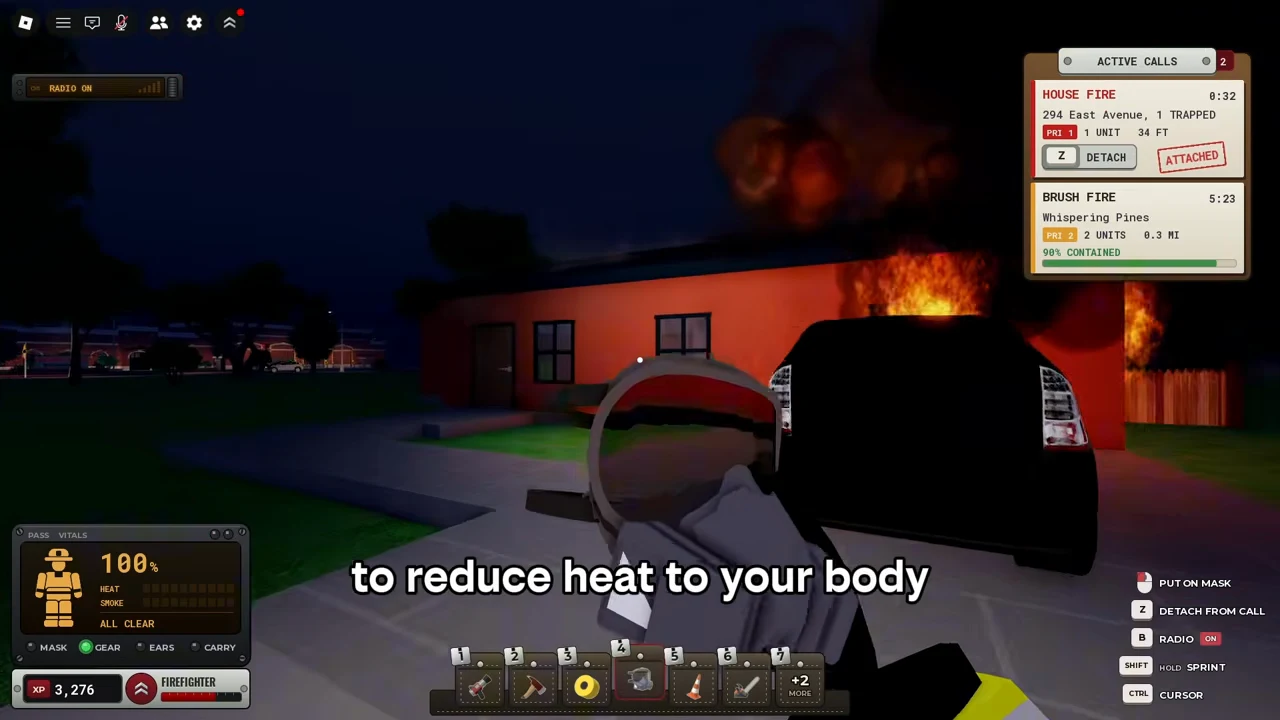
On the observed PC loadout, 1 selects the hose, 2 the axe and 4 the mask. Select the item, then read its action prompt. Press Z to attach/detach from the current call and E when the victim or spawner interaction appears. These are footage observations, not an input table tested on every platform.
PC quick reference
| Context | Observed input | Success signal / boundary |
|---|---|---|
| Vehicle spawner | E at Spawner — Vehicles | Vehicle menu opens; owned engine can spawn |
| Active call | Z ATTACH / DETACH | ATTACHED stamp on the matching address |
| Water hose in this loadout | 1, then hold displayed SPRAY mouse action | Hose stream; target circle red → blue |
| Fire axe in this loadout | 2, displayed SWING / HOLD HEAVY SWING mouse actions | Doorway becomes open in the recording |
| SCBA mask in this loadout | 4, displayed PUT ON MASK mouse action | MASK and GEAR indicators turn green |
| Victim | E Carry, then E Put Down | CARRYING VICTIM → VICTIM RESCUED after outside drop |
| On foot | Hold Shift; Ctrl cursor; B radio | Labels visible in the right-hand HUD |
| In vehicle | J lights; L headlights; P parking brake; V camera | Labels observed on engine-driving HUD |
| In vehicle | Q/E signals; H hold horn; K arrow | Vehicle context: E is not the victim interaction here |
| In vehicle | F/R/Y/G siren labels | Displayed keys; exact tone mapping not verified |
Open the source at the vehicle HUD, 0:25. The same key can have different meanings on foot and in a truck.
Hose: equip, aim, hold spray
At 1:00 the hose visibly runs to the engine. At 1:07 the player holds spray toward the house and the local target circle is blue. Treat that as a cleared spot, not proof the whole incident is finished. The recording does not show a manual attach-to-hydrant step, infinite supply, maximum hose range or truck compatibility list.
Watch the observed action at 1:00.
Mask: use the item, check the indicator
The SCBA mask is held at 0:49–0:50 and the HUD reads PUT ON MASK. Later the MASK and GEAR lights are green. Watch your body percentage too: the same masked player later reaches 36% during the interior sequence. No numeric protection bonus or safe exposure duration is established.
Watch the observed action at 0:49.
Axe: create an opening
At 1:11 the player holds the axe by the closed door with SWING / HOLD HEAVY SWING shown. The following interior sequence has an open doorway. A later window scene does not establish a universal climb shortcut or a fixed number of hits.
Watch the observed action at 1:11.
What this guide cannot map yet
Official descriptions mention ladders, chainsaws and K9 search, but their exact input prompts, deployment conditions and commands were not captured. They remain outside this verified controls table. Mobile and console support are official; their button mappings are unverified. If you cannot find a victim, use the rescue state checklist. For a complete call, use the first-call walkthrough.
See the recorded action
Ricoko’s cooperative PC house fire, 8 Oct 2026. Loading the video contacts YouTube. The written steps work without playback.